Working Across Time Zones: Pros, Cons, and Best Practices
Working across time zones works best when everyone knows the overlap hours, protects local working hours, writes decisions down, and treats meetings as a scarce resource. A good setup does not ask one person to absorb the entire time-zone cost. It makes availability explicit, defaults to asynchronous communication, and saves real-time calls for decisions, ambiguity, conflict, and relationship-building.
The hard part is not converting time zones. Calendars can do that. The hard part is designing work so a teammate in another region can keep moving without waiting for you to wake up.

How to work in different time zones
Use five rules:
- Define each person's normal working hours in their local time.
- Protect a small overlap window for live decisions and relationship-building.
- Move status updates, context, feedback, and routine questions into writing.
- Put deadlines in both relevant time zones, not just the sender's time zone.
- End every day with a handoff that explains what changed, what is blocked, and what the next person can do.
That operating model works for employees, managers, contractors, and job seekers evaluating remote roles. It also makes remote collaboration less dependent on the loudest person in the most convenient time zone.
For example, "I'll send it Thursday at 10 AM ET / 3 PM London" is better than "I'll send it tomorrow morning." "I am offline after 6 PM Sydney time, but I will review this when I start tomorrow" is better than silently replying at midnight until everyone assumes midnight is normal.
Decide whether the time zone gap is workable
Not every time-zone difference is the same. A two-hour gap can be easy. A nine-hour gap can be sustainable for independent work and painful for collaboration-heavy roles. Before accepting a remote job, hiring across regions, or changing your working location, score the setup by overlap, role type, and boundary expectations.

| Time-zone gap | Usually workable for | Watch out for | Best operating rule |
|---|---|---|---|
| 0-2 hours | Most roles, daily collaboration, manager relationships | Minor calendar confusion | Use normal local hours and a shared calendar. |
| 3-5 hours | Product, engineering, design, operations, support, marketing | Late meetings drifting onto the same person | Keep 2-4 overlap hours and rotate inconvenient meetings. |
| 6-8 hours | Independent contributor work, async-first teams, follow-the-sun support | Slow feedback loops, weak relationships, split days | Batch live work into a narrow overlap window and write stronger handoffs. |
| 9+ hours | Follow-the-sun handoffs, routine work, highly async teams | Midnight calls, missed context, stalled decisions | Accept only if the role does not require frequent real-time collaboration. |
The role matters as much as the clock. Routine work can move through written handoffs. Ambiguous work, people management, incident response, sales calls, and fast product decisions need more live overlap.
Recent research summarized by Harvard Business School and Rice University found that even a one-hour shift in temporal distance can reduce synchronous communication and push some workers into off-hours communication. Treat that as a design constraint, not a reason to avoid global teams entirely.
Benefits of working across time zones
Time-zone differences create real advantages when the team has strong norms. They are not automatic benefits; they appear when people can work independently, document decisions, and hand work across regions without losing context.

Access to a global talent pool
Hiring across time zones lets companies find the best person for the work instead of the nearest person to an office. Candidates also get access to more remote roles without moving cities or countries. This is one of the major benefits of remote work, especially for companies that need specialized skills.

More diverse and inclusive teams
Distributed teams can include people from more regions, backgrounds, and markets. That can improve customer understanding and reduce the risk of building every process around one headquarters culture.
The benefit only holds if the company does not quietly force everyone into headquarters hours. A global team with one dominant time zone is not truly global; it is a colocated schedule imposed on remote people.
Better deep work
When teammates are offline for part of your day, you get fewer interruptions. That can make writing, design, coding, analysis, and planning easier. The tradeoff is that questions need more context up front. Short, vague pings create a 24-hour delay. Clear requests keep work moving.
Stronger documentation
Time-zone gaps punish undocumented work. That pressure can be useful. Teams that work well across time zones usually build better handbooks, decision logs, project briefs, meeting notes, and onboarding docs.

If your team relies on verbal context, start with an employee handbook and a lightweight decision log. The goal is not bureaucracy. The goal is making the next person effective while you are offline.
Longer coverage without overtime
Distributed support, operations, and engineering teams can create broader coverage by handing work from one region to another. This works best for queues, maintenance, customer support, moderation, and routine operational workflows.
It works poorly when leaders expect everyone to be available all the time. Follow-the-sun is a handoff model, not a reason to create a 24-hour meeting culture.
Challenges of working across time zones
Time zones create friction when real-time communication, trust, and speed matter. The best teams name these costs directly instead of hiding them under "flexibility."

Communication can slow down
If a question arrives after someone has logged off, the answer may not come until the next day. That delay is fine for planned work and painful for ambiguous work. It is one reason time-zone gaps become harder for managers, senior ICs, product teams, and incident-heavy roles.
Meeting windows narrow
The overlap window can shrink to one or two hours. If every decision becomes a meeting, the team will either move slowly or push meetings into someone's morning, dinner, or night.

Off-hours work can become invisible
The biggest risk is not one late call. It is the gradual normalization of off-hours work. A person joins "just this once," replies after dinner, and soon the team treats that time as available.
This is a common remote work challenge. It can be worse for caregivers, people with fixed local obligations, and workers in countries with stricter work-hour rules. Managers should not treat willingness to time-shift as a proxy for commitment.
Loneliness and weak relationships
Async work is efficient, but relationships still need live time. Without occasional overlap, remote workers can feel like task processors instead of teammates. Use live time for high-trust work: feedback, kickoff calls, conflict, brainstorming, onboarding, and career conversations.
Fairness can drift
If the same region always takes the late call, the setup is unfair even if everyone is polite about it. Rotate inconvenient meetings, record sessions, and make attendance optional when the meeting is not essential for that person.
Best practices for working across time zones
The best practices are simple, but they only work when leaders model them.

Define overlap hours
Choose a small overlap window and protect it. A team with a four-hour gap might reserve 10 AM-1 PM Pacific / 1 PM-4 PM Eastern for live collaboration. A team with an eight-hour gap might reserve only one hour for essential calls.
Use overlap for:
- Decisions that need immediate tradeoffs.
- Sensitive feedback.
- Relationship-building.
- Kickoffs where ambiguity is high.
- Incidents or urgent customer issues.
Do not use overlap for status updates, simple approvals, or information sharing that can be written.
Set local-hour boundaries
Every person should publish normal working hours in their calendar and messaging profile. Managers should repeat the rule: local hours are the default, and exceptions should be rare, explicit, and rotated.

A useful boundary sounds like this:
I am usually online 9 AM-5 PM Berlin time. I can join occasional later calls for launches or incidents, but recurring meetings should fit my normal hours or rotate across regions.
Default to async for routine work
Async work is not just "send more Slack messages." Good async work includes enough context for someone to act without a follow-up call.

Use this format for async requests:
- Context: why this matters.
- Decision needed: what you need from the other person.
- Deadline: local time for both parties.
- Constraints: what cannot change.
- Default action: what you will do if they are offline.
Rotate meeting pain
If one meeting must happen outside someone's ideal hours, rotate the burden. Do not always ask Asia-Pacific teammates to join late or European teammates to take the evening slot.

For recurring meetings, choose one of three policies:
- Rotate the meeting time each month.
- Split the meeting into two regional sessions and combine notes.
- Make the meeting async by default and schedule live discussion only for unresolved decisions.
Write better handoffs
A handoff should make the next person effective in five minutes. It should not force them to reconstruct your day from messages.
Use this structure:
Status: What changed since the last handoff.
Decision: What was decided, by whom, and why.
Blocked: What is blocked and who can unblock it.
Next: The next useful action someone else can take.
Deadline: The actual deadline in both time zones.
Links: Docs, tickets, recordings, dashboards, or files.
Record meetings and decisions
Recording a meeting helps, but a recording is not a decision log. Add a short written summary after each important call:
- Decision made.
- Options rejected.
- Owner.
- Due date.
- Follow-up questions.

Use tools, but do not let tools replace norms
Shared calendars, Slack time-zone settings, World Time Buddy, Every Time Zone, and scheduling links reduce mistakes. They do not decide whether a meeting is fair or necessary.

Set up:
- Work hours in Google Calendar or Outlook.
- Local time in Slack or your messaging tool.
- A team calendar for holidays and regional coverage.
- A clear escalation channel for urgent issues.
- A documented async-first policy in the team handbook.

Scripts and templates for remote workers and managers
Scripts make time-zone boundaries less awkward. Use them before the pattern is broken, not after resentment has built up.
Candidate interview script
Use this when interviewing for a remote role in another time zone:
I am based in [city/time zone] and normally work [hours]. I can overlap with the team from [overlap window]. For launches or urgent issues, I can flex occasionally with advance notice. How does your team handle recurring meetings and async handoffs across time zones?
This tells the hiring manager you are flexible and serious about boundaries. It also reveals whether the company has a real operating model.
Employee boundary script
Use this when meetings keep landing outside your hours:
I can make this one, but this time is outside my normal working hours. For recurring meetings, can we rotate the time or move status updates async so the same region is not always taking the off-hours slot?
Deadline format
Use both time zones:
Please send feedback by Thursday, July 16 at 11 AM PT / 2 PM ET / 7 PM London. If I do not hear back by then, I will ship the current version and capture follow-ups for the next pass.
End-of-day handoff
Use this before logging off:
Done: Updated the onboarding flow copy and resolved comments 1-5.
Blocked: Need legal review on the data-retention sentence.
Next: If legal approves, publish the new copy. If not, use option B in the doc.
Deadline: Needs to be live before Friday 9 AM ET / 2 PM London.
Team agreement line
Add this to a handbook or working agreement:
Our default is local working hours. We use overlap time for high-context decisions, rotate inconvenient meetings, document decisions for people who are offline, and do not treat after-hours responsiveness as a performance signal.

Tools and habits that make time zones easier
Tools help when they support a clear workflow.

Use calendar tools to display multiple time zones. Use Slack or Teams status to show working hours. Use World Time Buddy or Every Time Zone for quick planning. Use scheduling links when external meetings are hard to coordinate.
Then add habits:
- Schedule messages for the recipient's workday.
- Put "no response expected until your morning" in non-urgent messages.
- Keep meetings short and decision-focused.
- Cancel recurring meetings that have become status updates.
- Review meeting times quarterly as people move, daylight saving changes, or team composition shifts.

How to find remote jobs that fit your time zone
Before applying for a remote job, check whether the role is remote in name only or designed for distributed work.

Look for:
- Location requirements such as "US time zones only" or "must overlap with CET."
- Core hours in the job description.
- Whether the company is async-first or meeting-heavy.
- Whether the manager is in a compatible time zone.
- Whether the role needs live customer calls, incident response, or daily stakeholder access.
On Himalayas, start with remote jobs, review the location and company details carefully, and use AI job matching to prioritize roles that fit your schedule, skills, and working style. You can also browse remote companies and fully remote companies to find teams more likely to have mature distributed-work norms.
Ask these questions before accepting:
- What are the team's core overlap hours?
- Are recurring meetings recorded or summarized?
- Does the company rotate inconvenient meeting times?
- How often would I need to work outside local hours?
- Is after-hours responsiveness considered in performance reviews?
If the answer is vague, treat that as signal. Mature remote teams can explain how work moves when people are offline.
Companies successfully working across time zones
Company examples are useful when they show operating principles, not just brand names.
GitLab
GitLab is one of the best-known all-remote companies and has long documented its practices publicly. Its handbook-heavy approach shows why documentation matters when people are spread across regions.

The lesson is not that every company needs a handbook as large as GitLab's. The lesson is that decisions, norms, and processes need a home that new teammates can read while others are offline.
Help Scout
Help Scout has written about global remote teams and the importance of trust, communication, and intentional connection.

The lesson is that distributed teams need deliberate relationship-building. Async work keeps the machine running, but people still need time to understand each other.
Zapier
Zapier is another remote-first company known for distributed work. Its example reinforces a core principle: remote teams scale better when written communication, ownership, and autonomous decision-making are strong.

The lesson is that time zones become easier when people can make progress without waiting for permission on every small decision.
Frequently asked questions
Should I work the employer's time zone?
Only if the schedule is sustainable and explicit before you accept the role. Occasional flexibility is normal. Permanently working another region's day from your evening or night can erode sleep, family time, and performance.
How much time-zone overlap does a remote team need?
For collaboration-heavy work, aim for at least two reliable overlap hours on most working days. For independent or routine work, less overlap can work if handoffs are strong and decisions are documented.
How do I set boundaries without sounding inflexible?
State your normal hours, name the overlap you can offer, and explain when you can flex. A good boundary is not "I never help." It is "Here is my normal availability, here is my overlap, and here is how to handle exceptions."
What is the best tool for working across time zones?
The best tool is the one your team actually uses consistently. Start with your calendar's time-zone feature, your messaging app's local-time display, a shared team calendar, and a written handoff template. Add specialized tools only when the basic workflow is working.
Are time-zone differences a reason to avoid a remote job?
Sometimes. Avoid the role if it requires frequent live collaboration outside your local hours and the company cannot explain how it protects boundaries. A time-zone gap is fine when the team has clear overlap hours, async norms, meeting rotation, and documented decisions.
Looking for a remote job or hiring remote employees?
Working across time zones is easier when the role, team, and company are designed for it. Look for explicit overlap expectations, strong documentation, and managers who respect local working hours.
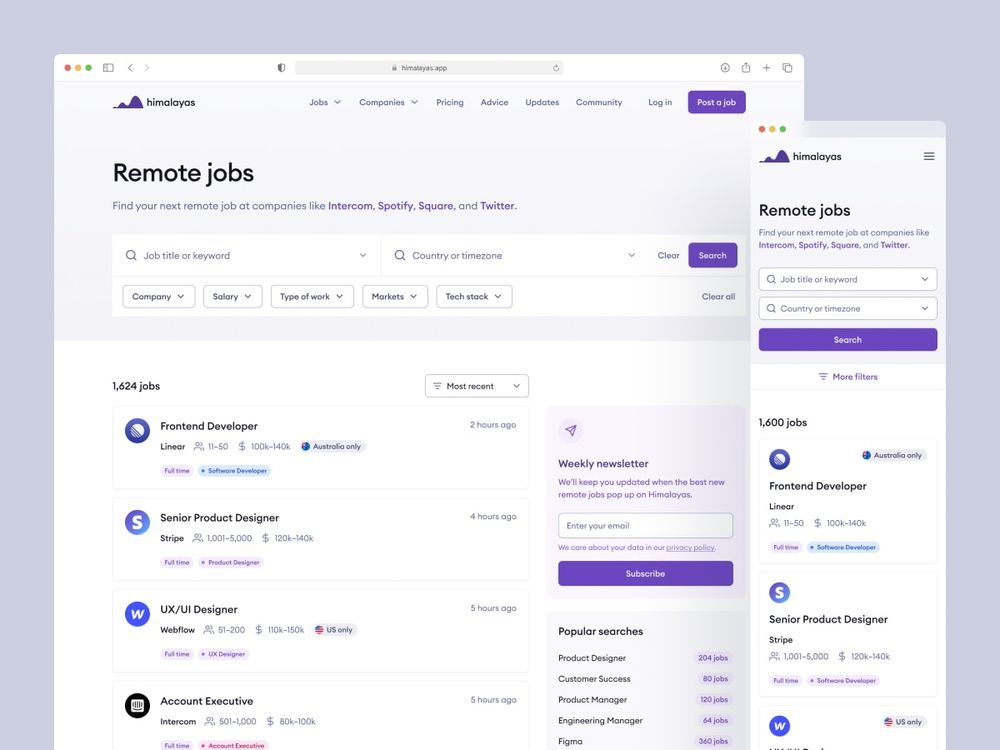
Browse remote jobs, compare remote companies, and use Himalayas to find roles where your skills and schedule are a better fit.