

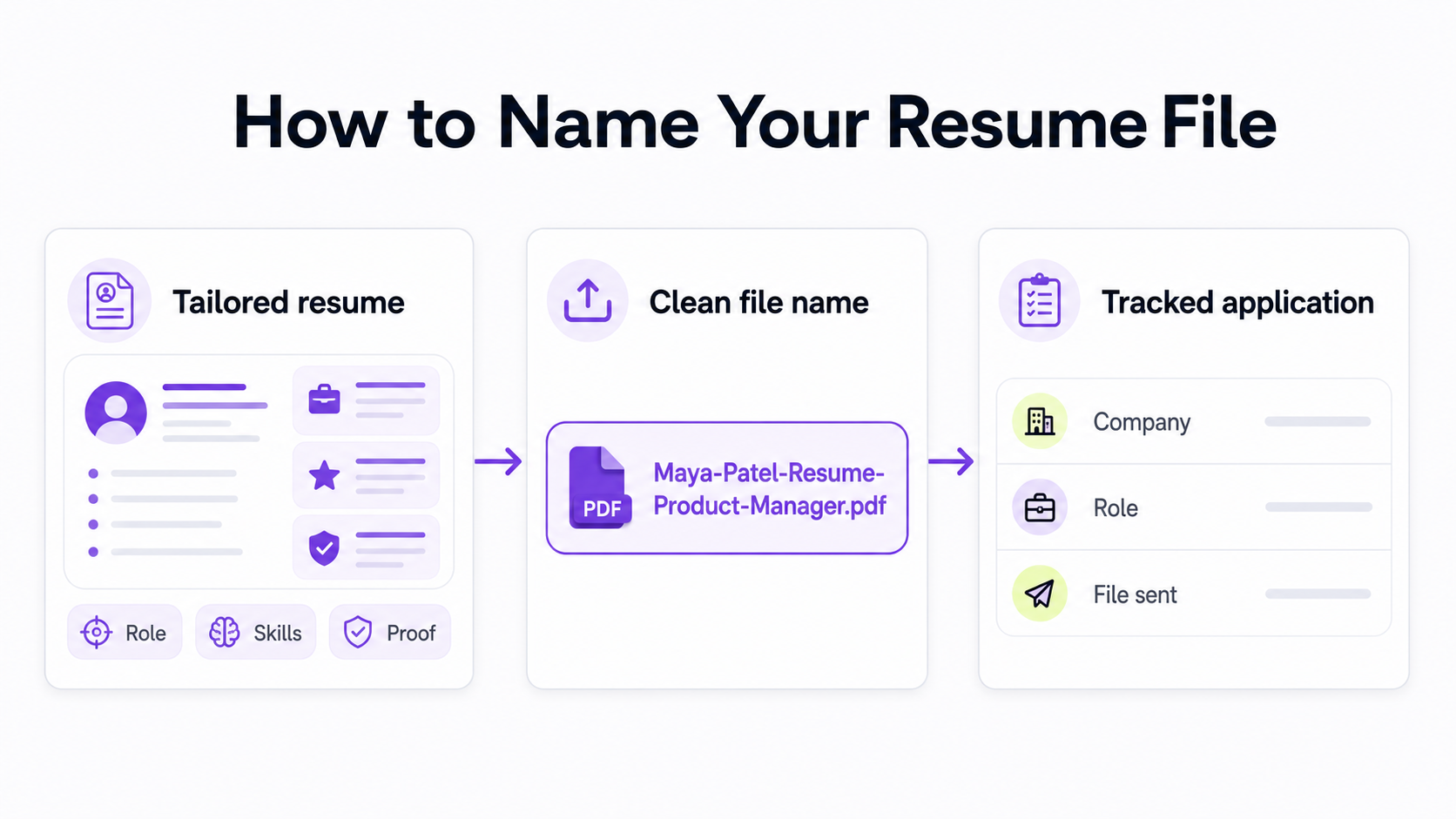
The best resume file name is clear, professional, and easy to identify at a glance. Use this format by default:
First-Last-Resume-Target-Role.pdf
For example:
Maya-Patel-Resume-Product-Manager.pdfJordan-Lee-Resume-Data-Analyst.pdfAvery-Williams-Resume-Remote-Customer-Support.pdf
If the role title makes the file name too long, use the shorter version:
Maya-Patel-Resume.pdf
The most important rule is to follow the job post first. If the employer asks for a specific format, such as LastName_FirstName_Position.pdf, use that exact format. If the employer gives no instructions, use your name, the word Resume, and optionally the target role.
If you are still editing the resume itself, start with the Himalayas AI resume builder, then export the final version with a clean file name before applying.
Resume File Name Examples
Use a resume file name that tells a recruiter three things quickly:
- Who the file belongs to.
- What document it is.
- Which role or application it belongs to, if relevant.
Here are practical examples:
| Situation | Good resume file name | Why it works |
|---|---|---|
| General job search | Alex-Rivera-Resume.pdf |
Short, clear, and professional. |
| Tailored application | Alex-Rivera-Resume-Marketing-Manager.pdf |
Shows the resume is targeted to the role. |
| Remote role | Alex-Rivera-Resume-Remote-Marketing-Manager.pdf |
Helpful when you are applying to remote and non-remote roles. |
| Internship | Alex-Rivera-Resume-Product-Intern.pdf |
Keeps the target level clear. |
| Career change | Alex-Rivera-Resume-Customer-Success.pdf |
Points the reader toward the new direction. |
| Portfolio-heavy role | Alex-Rivera-Resume-UX-Designer.pdf |
Pairs well with a portfolio link or portfolio file. |
| Employer-required format | Rivera_Alex_Marketing_Manager.pdf |
Follows the employer's instructions. |
Keep the file name boring. A resume file name is not the place to be clever, funny, or overly branded. The goal is to make the hiring team's work easier.
Resume and Cover Letter File Name Pairs
If you are sending a resume and cover letter, name them consistently so they stay together in a folder or applicant tracking system.
Good pairs:
| Resume file | Cover letter file |
|---|---|
Maya-Patel-Resume.pdf |
Maya-Patel-Cover-Letter.pdf |
Maya-Patel-Resume-Product-Manager.pdf |
Maya-Patel-Cover-Letter-Product-Manager.pdf |
Maya-Patel-Resume-Remote-Product-Manager.pdf |
Maya-Patel-Cover-Letter-Remote-Product-Manager.pdf |
Do not combine your resume and cover letter into one file unless the application instructions ask you to. Most hiring workflows expect separate documents.
If you are writing a tailored cover letter for a remote role, use the same target-role language in both filenames and the application itself. You can also use the remote job cover letter guide to make sure the document matches the role.
What Not to Name Your Resume File
Avoid names that are generic, confusing, too personal, or full of internal notes.
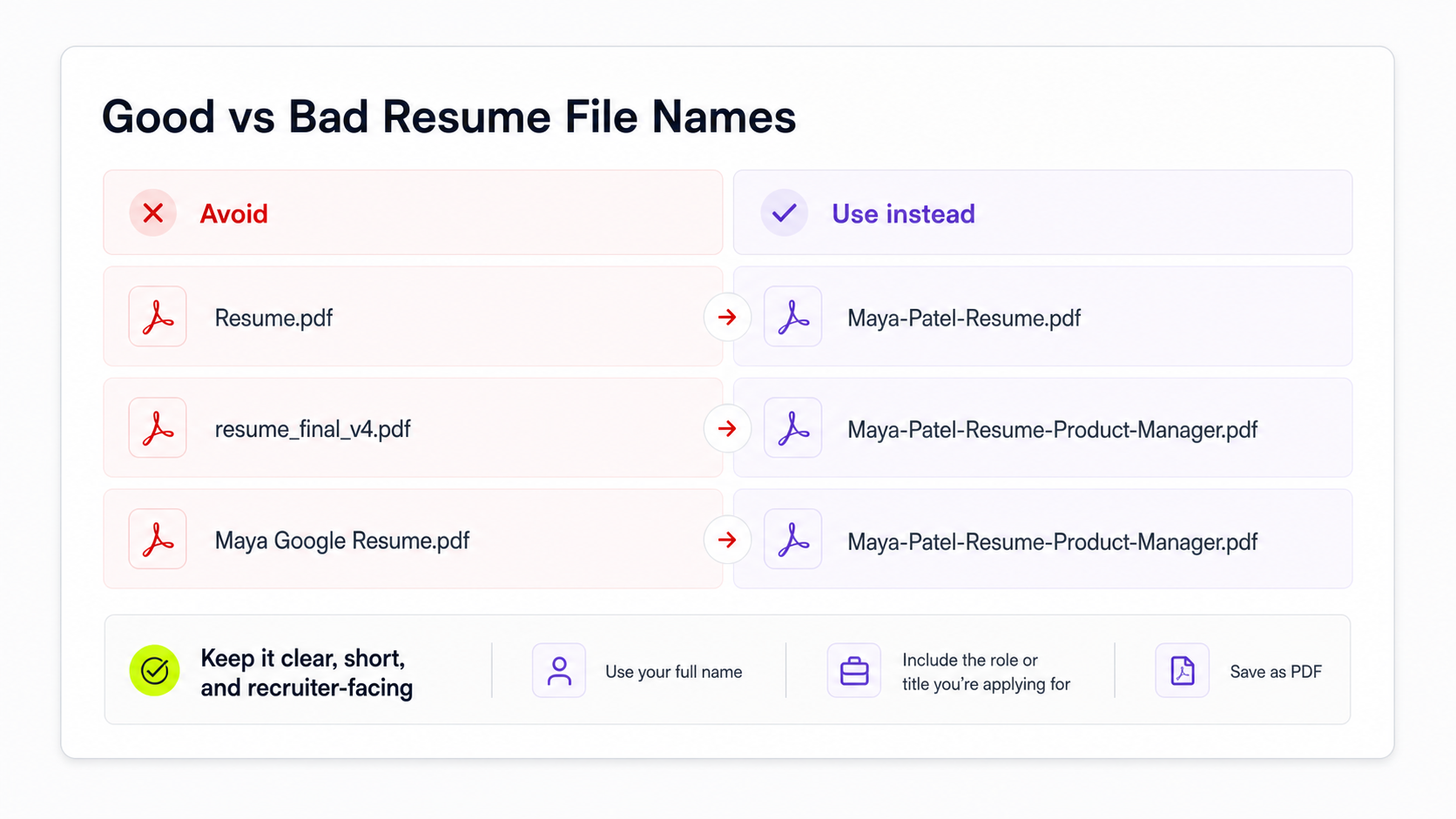
| Weak file name | Problem | Better file name |
|---|---|---|
Resume.pdf |
The recruiter cannot tell who it belongs to. | Taylor-Nguyen-Resume.pdf |
resume_final_FINAL_v4.pdf |
Shows your editing history and looks messy. | Taylor-Nguyen-Resume.pdf |
Taylor-Nguyen-Google-Resume.pdf |
Company name may look awkward if reused or forwarded. | Taylor-Nguyen-Resume-Software-Engineer.pdf |
TayN_Resume🔥.pdf |
Nicknames, emojis, and special characters can look unprofessional or break systems. | Taylor-Nguyen-Resume.pdf |
Taylor Nguyen Resume.pdf |
Spaces usually work, but hyphens or underscores travel more cleanly across systems. | Taylor-Nguyen-Resume.pdf |
Taylor-Nguyen-Resume-Old.pdf |
Internal notes do not belong in uploaded files. | Taylor-Nguyen-Resume.pdf |
Taylor-Nguyen-Resume-2026-07-02.pdf |
Dates are useful privately, but they add clutter for recruiters. | Taylor-Nguyen-Resume.pdf |
Use only simple letters, numbers, hyphens, and underscores. Avoid emojis, slashes, apostrophes, commas, accents, and other special characters. They can display inconsistently across job boards, email clients, and applicant tracking systems.
Should You Include the Company Name?
Usually, do not include the company name in the file you upload or email. Use the role instead.
Better upload filename:
Sam-Chen-Resume-Account-Executive.pdf
Usually avoid:
Sam-Chen-Resume-Acme.pdf
There are two exceptions:
- The employer asks for the company name or a specific naming format.
- You are naming your private copy, not the uploaded file.
For your own files, company names and dates can be useful. For example:
- Private archive:
2026-07-02-Acme-Account-Executive-Sam-Chen-Resume.pdf - Uploaded file:
Sam-Chen-Resume-Account-Executive.pdf
That distinction matters. Your private archive helps you track which resume version you sent. The uploaded file should be clean and recruiter-facing.
If you are tailoring each resume to a job description, read how to tailor your resume to a job description before exporting the final file.
Should You Include the Job Title?
Include the job title when it makes the file more useful without making it too long.
Use the job title when:
- You are applying to several different role types.
- You have multiple tailored resume versions.
- The title is short and clear.
- The job post uses a standard title like
Product Manager,Data Analyst, orCustomer Success Manager.
Skip the job title when:
- The file name becomes too long.
- The role title is vague, overloaded, or full of internal levels.
- You are using a general resume at an event or networking conversation.
- The employer gives a different naming convention.
For long titles, shorten the role while keeping the meaning:
| Job post title | Cleaner file name |
|---|---|
| Senior Manager, Global Lifecycle Marketing and Customer Engagement | Jamie-Morgan-Resume-Lifecycle-Marketing.pdf |
| Customer Support Specialist, Tier 2, Remote, Americas | Jamie-Morgan-Resume-Remote-Customer-Support.pdf |
| Associate Product Operations Analyst, AI Tooling | Jamie-Morgan-Resume-Product-Ops-Analyst.pdf |
The file name should help a recruiter recognize the document, not repeat the entire job posting.
PDF or DOCX?
Use PDF unless the employer asks for another format. PDF files usually preserve layout better across devices and make the file look finished.
Use DOCX when:
- The application form specifically asks for a Word document.
- A recruiter asks you to send an editable version.
- The job board warns that PDF uploads may not parse correctly.
Avoid image-only PDFs exported from design tools. They may look polished, but they can be harder for applicant tracking systems to read. If you are worried about parsing, review how to make an ATS-friendly resume before applying.
How to Manage Multiple Resume Versions
The file you upload should be simple. Your private organization system can be more detailed.
Use a folder structure like this:
Job Search/
2026/
Acme - Account Executive/
Sam-Chen-Resume-Account-Executive.pdf
Sam-Chen-Cover-Letter-Account-Executive.pdf
job-description.txt
Northstar - Customer Success Manager/
Sam-Chen-Resume-Customer-Success.pdf
Sam-Chen-Cover-Letter-Customer-Success.pdf
job-description.txt
Or track each application in a job search tracker:
| Field | Example |
|---|---|
| Company | Acme |
| Role | Account Executive |
| Resume file sent | Sam-Chen-Resume-Account-Executive.pdf |
| Cover letter file sent | Sam-Chen-Cover-Letter-Account-Executive.pdf |
| Date applied | 2026-07-02 |
| Source | Himalayas |
| Follow-up date | 2026-07-09 |
| Status | Applied |
This keeps your public filename professional while preserving the details you need later. If you apply to many jobs, use a job application tracker so you can see which resume version led to which interview.
Final Checklist Before Uploading Your Resume
Before you upload or email your resume, check:
- The file name starts with your first and last name.
- The file name includes
Resume. - The role title is included only if it helps.
- The file name uses hyphens or underscores instead of spaces.
- There are no version numbers, internal notes, emojis, or special characters.
- The file is a PDF unless the employer asks for DOCX.
- The resume content is tailored to the job.
- The file opens correctly after export.
- The uploaded resume matches the version you intended to send.
If you want a final content check before applying, run the file through an AI resume review and fix the substance before worrying about the filename.
Resume File Name FAQs
Should my resume file name have spaces?
Hyphens or underscores are safer than spaces. Taylor-Nguyen-Resume.pdf and Taylor_Nguyen_Resume.pdf are both clearer than Taylor Nguyen Resume.pdf when files move through job boards, URLs, email systems, and applicant tracking systems.
Should I write "resume" or "CV" in the file name?
Use the term the employer uses. In the United States, Resume is usually the right word for most private-sector job applications. If the employer asks for a CV, use CV. For example: Taylor-Nguyen-CV.pdf.
Should I include my middle name?
Only include your middle name if you use it professionally or need it to distinguish yourself. Otherwise, your first and last name are enough.
Should I include the date?
Do not include the date in the uploaded file unless the employer asks for it. Dates are useful in your private folders or tracker, but they usually add clutter to the recruiter-facing file.
What if the job post gives a naming format?
Follow the job post. If the instructions say LastName_FirstName_Resume.pdf, use that format even if you normally prefer another convention. File naming is a small signal that you read directions carefully.
Is a creative resume file name a good idea?
No. Creative file names are more likely to distract than help. Let your resume content, portfolio, and results show your personality. Keep the file name clear and professional.
Key Takeaways
- Use
First-Last-Resume-Target-Role.pdfby default. - Use
First-Last-Resume.pdfif the role title makes the file too long. - Follow employer instructions before any general rule.
- Avoid generic names like
Resume.pdfand messy names likeresume_final_v3.pdf. - Use PDF unless the employer asks for DOCX.
- Keep private version details in your folders or tracker, not in the uploaded filename.



