

The best way to track job applications is to keep every role, company, status, deadline, resume version, follow-up, and next action in one place. A simple spreadsheet works when your search is small. A dedicated job application tracker becomes useful when you are applying to enough roles that browser tabs, email confirmations, and memory start to fail.
Start with a lightweight system. For each job, record the company, role, job link, source, application status, date applied, resume or cover letter version, follow-up date, and next action. Save the job description before you apply, then review the tracker once a week to see which applications are turning into interviews.
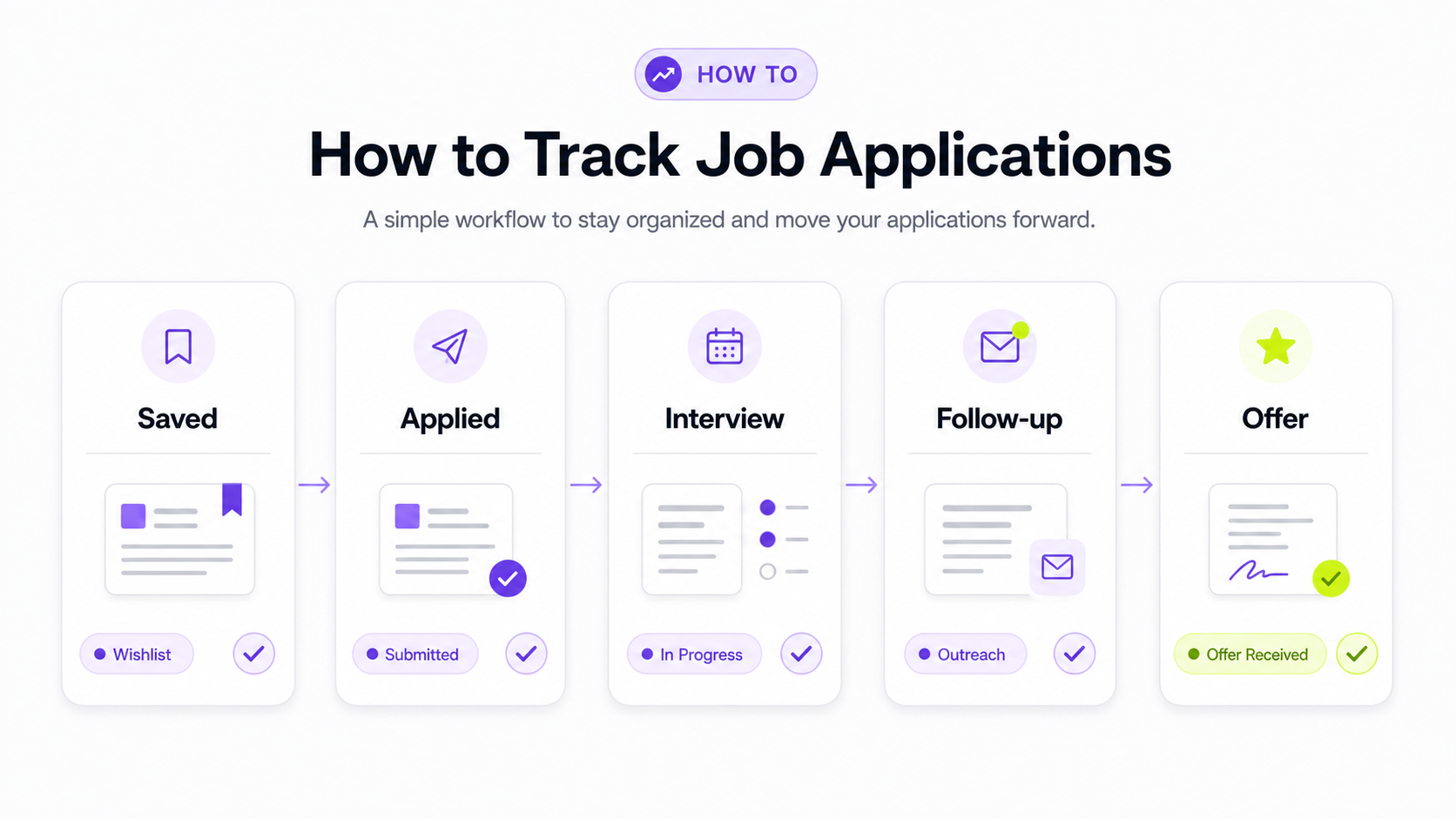
Why you should track job applications
Job searches get messy faster than most people expect.
At first, you might remember where you applied. After 10 or 20 applications, details start to blur. After 50, you may not remember which resume you sent, whether you already applied to a company, who replied, or which job description disappeared from the employer's site.
Tracking helps you:
- Avoid applying to the same company twice by accident.
- Remember which resume and cover letter you used.
- Save job descriptions before they are removed.
- Follow up without guessing.
- Prepare for interviews with the exact role requirements in front of you.
- See which job boards, roles, and application types are producing responses.
- Stop spending time on sources that are not working.
A tracker does not guarantee interviews. It gives you visibility. Without that visibility, it is easy to confuse activity with progress.
The minimum job application tracker
If you want the simplest possible tracker, use these fields:
| Field | Why it matters |
|---|---|
| Company | Prevents duplicate applications and helps you search your inbox. |
| Role | Keeps each opportunity distinct, especially when one company has multiple openings. |
| Job link | Gives you the original posting while it is still live. |
| Source | Shows whether the role came from Himalayas, LinkedIn, a referral, a company site, or another board. |
| Status | Tracks whether the role is saved, applied, interviewing, offer, rejected, withdrawn, or closed. |
| Date applied | Helps you decide when to follow up. |
| Resume version | Shows which resume you submitted. |
| Next action | Turns the tracker into a workflow instead of an archive. |
That is enough for most early searches. You can put it in Google Sheets, Excel, Notion, Airtable, a notes app, or a dedicated tracker.
Do not start with 30 columns if that means you will stop updating it. A tracker you maintain is better than a perfect template you abandon.
A complete job application tracker template
Once your search grows, add fields that help you understand fit, timing, and outcomes.
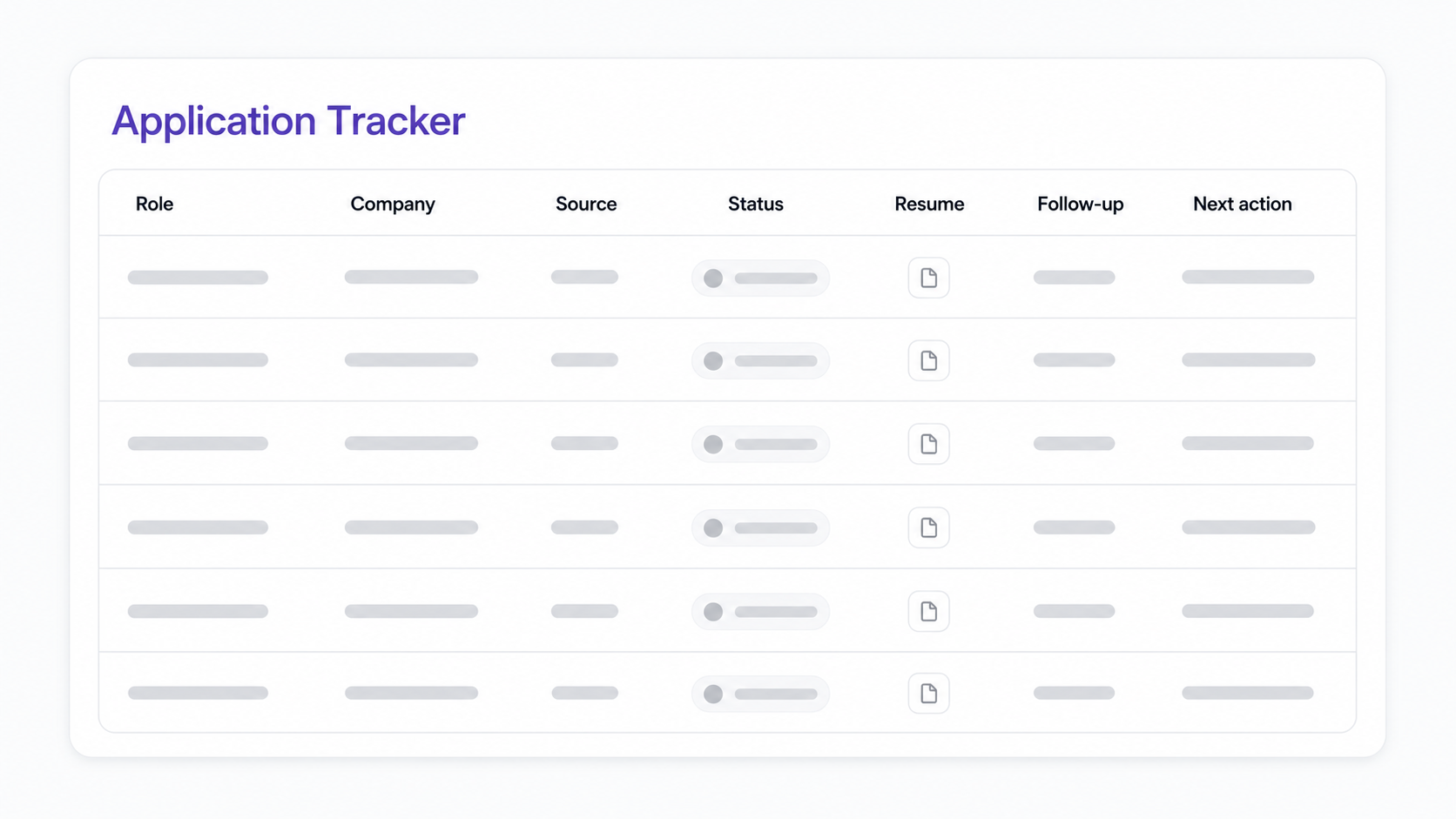
Use this structure:
| Category | Fields to track | Use when |
|---|---|---|
| Basic details | Company, role, job link, source, location, salary range | You want one reliable record for each application. |
| Application status | Saved, applied, screening, interview, assignment, offer, rejected, withdrawn, closed | You want to see your pipeline at a glance. |
| Dates | Date found, date applied, follow-up date, interview date, last contact | You want to avoid missed follow-ups and stale applications. |
| Application materials | Resume version, cover-letter version, portfolio link, notes on tailoring | You tailor applications and need to remember what you sent. |
| Contact details | Recruiter, hiring manager, email, referral, interviewers | You are talking to people and need context before replying. |
| Remote fit | Remote type, country/state eligibility, timezone overlap, travel requirements | You apply to remote roles with location restrictions. |
| Compensation | Salary range, currency, employment type, benefits notes | You want to compare offers and avoid wasting time on mismatched roles. |
| Outcome | Response, rejection reason, interview feedback, offer result | You want to improve your search over time. |
For remote jobs, the remote-fit fields are especially important. A role can say "remote" and still require you to live in a certain country, state, province, timezone, or legal employment region. Track that before you apply so you do not spend time on jobs you cannot accept.
How to track each application
Use the same small workflow every time.
1. Save the job before you apply
Before you submit anything, save the job link and copy the job description into your tracker, a document, or a notes field.
This matters because job posts often close before interviews begin. If you get a recruiter screen two weeks later, the original posting may be gone. Saving it gives you the responsibilities, requirements, salary range, tools, timezone details, and application instructions you need to prepare.
2. Record where the job came from
Track the source for every role:
- Himalayas.
- Company careers page.
- Referral.
- LinkedIn.
- Niche job board.
- Recruiter message.
- Newsletter.
- Community or Slack group.
Source data helps you see what is working. If 20 applications from one board produce no responses but five targeted company-site applications produce two interviews, your next week should look different.
You can search current remote roles on Himalayas remote jobs, then record the source and role details in your tracker before applying.
3. Track the exact resume and cover letter you sent
If you tailor your resume, your tracker should show which version went with each application.
Use simple file names:
resume-product-manager-saas.pdfresume-customer-success-remote.pdfresume-data-analyst-fintech.pdf
Then record the version in your tracker.
This helps in two ways. First, you can prepare for interviews using the same positioning the employer saw. Second, you can compare which versions are getting responses.
If you are tailoring a resume to a specific posting, use a repeatable workflow like the one in How to Tailor Your Resume to a Job Description. You can also use the Himalayas job description keyword finder to pull out the role's most important requirements before you rewrite.
4. Set a next action
Every active application should have a next action. Examples:
- Apply.
- Tailor resume.
- Write cover letter.
- Follow up Friday.
- Prepare for recruiter screen.
- Send portfolio sample.
- Complete take-home assignment.
- Wait for response.
- Close out.
This field is what keeps your tracker from becoming a graveyard of old applications.
If there is no next action, decide whether the role is still active, rejected, closed, or no longer worth pursuing.
5. Update the status after every interaction
Update your tracker whenever something changes:
- You apply.
- A recruiter replies.
- You schedule an interview.
- You finish an interview.
- You send a follow-up.
- You receive a rejection.
- You withdraw.
- The posting closes.
Do it immediately if possible. The longer you wait, the more likely you are to forget details.
Spreadsheet vs dedicated job application tracker
A spreadsheet is enough if you are applying to a small number of roles and you update it consistently.
Use a spreadsheet when:
- You are applying to fewer than 10 to 15 active roles.
- You want full control over columns.
- You do not need reminders or saved job workflows.
- You are comfortable maintaining the system manually.
Use a dedicated tracker when:
- You are applying to many roles at once.
- You keep losing job descriptions.
- You forget follow-ups.
- You want status views or pipeline stages.
- You want to connect job search, resume versions, cover letters, and interviews.
- You want less manual admin.
The right answer can change. Many job seekers start with a spreadsheet and move to a tracker when the search becomes more complex.
The Himalayas job application tracker is useful when you want your saved jobs, application status, and next steps in the same workflow as your remote job search.
How to review your tracker each week
Set aside 20 minutes once a week. The goal is not to judge yourself by the number of applications you sent. The goal is to make better decisions for the next week.
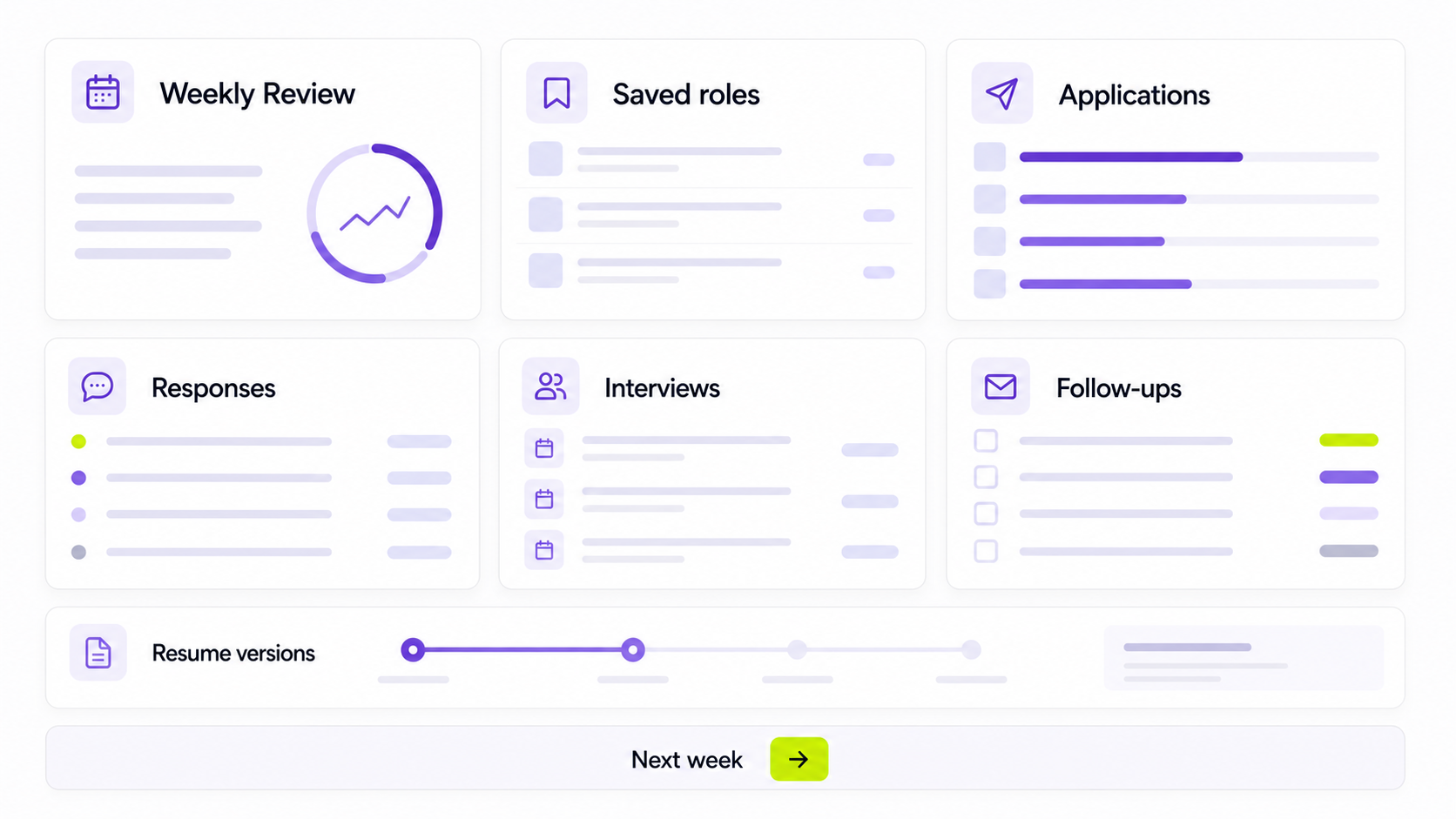
Review these questions:
- How many roles did you save?
- How many did you apply to?
- How many applications were tailored?
- Which sources produced responses?
- Which resume version produced the most interest?
- Which roles were poor fits after closer review?
- Which applications need follow-up?
- Which interviews need prep?
- Which jobs should be closed out?
Then choose one improvement for the next week.
For example:
- Apply to fewer roles, but tailor each one more carefully.
- Stop using a source that produces low-quality leads.
- Add salary range before applying.
- Save job descriptions before submitting.
- Build a stronger resume version for one role type.
- Follow up on applications that have been quiet for a reasonable period.
Tracking is most valuable when it changes behavior.
What remote job seekers should track
Remote job searches need a few extra fields because "remote" can mean very different things.
Track:
- Remote type: remote, hybrid, work from anywhere, remote within country, remote within state, remote-first, or remote-friendly.
- Location eligibility: the country, state, province, or region where the employer can legally hire.
- Timezone overlap: required working hours or collaboration windows.
- Salary range: amount, currency, and whether it appears location-adjusted.
- Employment type: employee, contractor, freelance, full-time, part-time, temporary, or contract-to-hire.
- Travel requirements: retreats, customer visits, onsite onboarding, or quarterly meetings.
- Equipment and stipend notes: laptop, home office budget, internet support, coworking support.
- Trust notes: whether the company domain, recruiter email, and application process look legitimate.
These fields save time. If a role requires US-only employment and you are outside the US, that is not a fit. If the salary is listed in a currency or range that does not work for you, note it before you invest more time.
Common job application tracking mistakes
Tracking too many fields
If a tracker is too heavy, you will stop using it. Start with the minimum fields, then add columns only when you actually need them.
Not saving the job description
The job description is your interview prep guide. Save it before applying.
Forgetting the next action
Status tells you where an application is. Next action tells you what to do.
Mixing saved jobs with applied jobs
A saved job is not an application. Keep those stages separate so your pipeline reflects reality.
Not tracking resume versions
If you send different resumes, track them. Otherwise you cannot tell which positioning is working.
Ignoring closed or rejected roles
Rejections are useful data. Closed roles are useful cleanup. Keep them in the tracker, but move them out of your active view.
Forgetting remote restrictions
Remote does not always mean work from anywhere. Track eligibility before you apply.
A simple weekly job search dashboard
You do not need a complex dashboard. Add a few counts:
| Metric | Why it helps |
|---|---|
| Roles saved | Shows whether you are finding enough potential fits. |
| Applications sent | Shows your output, but not quality by itself. |
| Tailored applications | Shows how much effort went into stronger-fit roles. |
| Responses received | Shows whether your applications are generating interest. |
| Interviews booked | Shows real pipeline progress. |
| Follow-ups due | Keeps conversations moving. |
| Rejections or closed roles | Keeps your active list clean. |
If you want one simple rule, track the ratio of interviews to applications by source and by role type. That tells you where to spend more time.
Example job application tracker row
Here is what one row might look like:
| Field | Example |
|---|---|
| Company | Acme Analytics |
| Role | Senior Customer Success Manager |
| Source | Himalayas |
| Job link | Saved URL |
| Remote type | Remote within US timezones |
| Salary range | $95,000 to $115,000 |
| Status | Applied |
| Date applied | June 4, 2026 |
| Resume version | resume-customer-success-saas.pdf |
| Cover letter version | cover-letter-acme-analytics.pdf |
| Follow-up date | June 11, 2026 |
| Next action | Follow up if no response |
| Notes | Emphasized onboarding, retention, and async customer communication. |
This is enough context to prepare if the employer replies later.
How Himalayas can fit into your tracking workflow
Use the article workflow manually if you prefer a spreadsheet. Use Himalayas tools when you want the pieces connected:
- Find relevant roles on Himalayas remote jobs.
- Track applications with the Himalayas job application tracker.
- Build a stronger base resume with the Himalayas AI resume builder.
- Extract role requirements with the job description keyword finder.
- Draft tailored cover letters with the Himalayas AI cover letter generator.
The workflow is the same either way: find the role, check fit, tailor your materials, apply, track the next step, and learn from the results.
Job application tracker FAQ
What should I track in a job application tracker?
Track the company, role, job link, source, status, date applied, resume version, follow-up date, and next action. Add salary, contact, interview notes, remote eligibility, and outcome fields if your search is more complex.
Is Google Sheets enough to track job applications?
Yes, Google Sheets is enough for many job seekers. It works best when your search is small and you update it consistently. If you are applying to many roles, missing follow-ups, or losing job details, a dedicated tracker may save time.
Should I track jobs before I apply?
Yes. Track saved jobs separately from applied jobs. This helps you compare opportunities, avoid rushed applications, and decide which roles are worth tailoring for.
Should I track rejections?
Yes. Rejections help you keep your active list clean and spot patterns over time. Move them out of your active view, but keep the data.
How long should I wait before following up?
Follow the employer's instructions first. If they do not give a timeline, many job seekers wait about one to two weeks after applying or a few business days after an interview. Use your tracker to set a reminder, then keep the follow-up concise and professional.
What is the best job application tracker?
The best tracker is the one you will actually maintain. A spreadsheet is often enough for a light search. A dedicated job application tracker is better when you need reminders, saved jobs, pipeline views, resume-version tracking, and less manual admin.
Final thoughts
A job application tracker is not busywork. It is the operating system for your job search.
Start with a simple tracker, save every job description, record what you sent, keep a next action for each active role, and review the system once a week. The goal is not to apply everywhere. The goal is to understand what is working and spend more time on the applications most likely to turn into interviews.



